

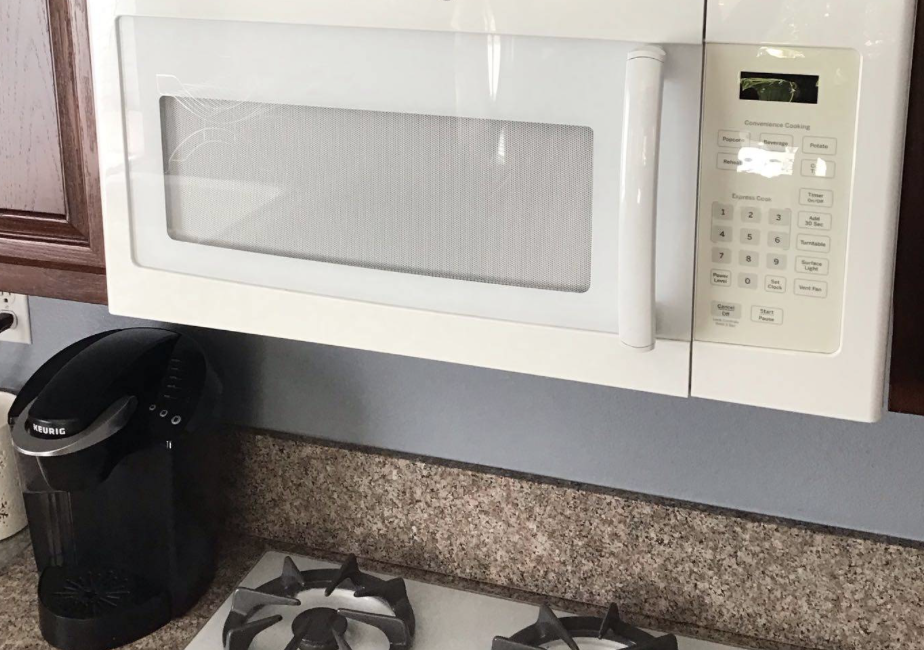
An LG microwave is designed to make meal preparation fast and convenient. When the buttons suddenly stop responding, even simple tasks like reheating food or setting the cooking time become impossible. While an occasional unresponsive button may seem like a minor inconvenience, a completely non-functioning control panel usually indicates an electrical issue that requires attention.
One of the most common causes is a faulty touchpad or a failed control panel, but wiring problems, moisture damage, or a defective electronic control board can produce similar symptoms. Understanding what causes this problem can help you recognize when professional microwave repair is needed.
How the Microwave Control Panel Works
The control panel serves as the communication center between you and the microwave. Every time you press a button, the touchpad sends an electrical signal to the electronic control board.
The control board interprets the command and activates functions such as:
- Setting the cooking time
- Adjusting power levels
- Starting or stopping the cooking cycle
- Operating the timer
- Activating special cooking programs
If communication between the touchpad and the control board is interrupted, the microwave may ignore button presses entirely or respond unpredictably.
Common Causes of Unresponsive Microwave Buttons
Faulty Touchpad
The touchpad is the most common source of button-related problems.
Inside the touchpad are thin electrical membrane circuits that register each button press. After years of use, these circuits can wear out or develop internal breaks.
As the damage progresses, you may notice:
- Certain buttons stop working
- Buttons require excessive pressure
- Multiple buttons become unresponsive
- The microwave occasionally responds but becomes less reliable over time
Eventually, the entire touchpad may fail.
Replacing the touchpad often restores full functionality.
Defective Control Panel
The control panel includes the touchpad along with electronic components that communicate with the microwave’s control board.
Damage caused by age, moisture, electrical surges, or heat can affect the entire assembly.
Symptoms of a failing control panel include:
- No buttons responding
- Display operating normally while controls fail
- Random beeping
- Incorrect commands being activated
- Intermittent operation
A professional technician can determine whether only the touchpad or the complete control panel requires replacement.
Electronic Control Board Failure
The electronic control board processes every command entered through the keypad.
If internal relays, circuits, or processors fail, the microwave may receive button inputs but fail to execute them.
Other symptoms may include:
- Display errors
- Microwave shutting off unexpectedly
- Clock resetting
- Inconsistent operation
- Cooking cycles failing to start
Control board diagnosis requires specialized testing equipment.
Loose or Damaged Wiring
The touchpad connects to the control board through ribbon cables and electrical connectors.
Over time, vibration, heat, or corrosion can loosen these connections.
A damaged ribbon cable may interrupt communication, making the buttons appear completely unresponsive even though the touchpad itself remains functional.
Moisture Damage
Steam produced during cooking can gradually enter the control panel, especially if ventilation openings become obstructed.
Moisture may cause corrosion on electronic contacts or interfere with the touch-sensitive membrane.
In kitchens with frequent microwave use, prolonged exposure to humidity can accelerate electronic wear.
Power Supply Problems
Low voltage, electrical surges, or unstable household power can occasionally affect microwave electronics.
Although power problems are less common than touchpad failures, repeated voltage fluctuations may damage sensitive control components over time.
Child Lock Activation
Before assuming the microwave has failed, verify that the child lock feature has not been activated.
Many LG microwave models disable all buttons except the lock function when child lock is enabled.
Consulting the owner’s manual can help determine whether this feature is responsible for the issue.
Symptoms That Often Accompany Button Failure
Besides unresponsive buttons, homeowners may notice:
- Display remains on but buttons do nothing
- Some buttons work while others fail
- Microwave beeps without starting
- Random error messages
- Clock functions normally
- Start button fails to respond
- Cooking programs cannot be selected
- Intermittent keypad operation
These symptoms usually become more frequent as electronic components continue to deteriorate.
Can You Troubleshoot the Problem Yourself?
A few simple checks can be performed safely.
You can:
- Verify the child lock is disabled
- Disconnect power for several minutes to reset the microwave
- Check that the display is functioning normally
- Inspect the control panel for visible moisture or damage
If the buttons remain unresponsive, further diagnosis should be performed by a qualified appliance repair technician.
Microwaves contain high-voltage capacitors that can retain dangerous electrical charges even after the appliance has been unplugged. Internal repairs should never be attempted without proper training and equipment.
Why Prompt Repairs Matter
Ignoring an unresponsive control panel rarely improves the situation.
Minor electronic failures often worsen over time, eventually affecting additional buttons or disabling the microwave completely. Continuing to use a malfunctioning control panel may also increase the risk of further damage to the electronic control board.
Repairing the problem early often reduces repair costs and restores reliable operation more quickly.
Professional Diagnosis Prevents Unnecessary Repairs
Because several components can produce identical symptoms, replacing parts based on guesswork can become expensive.
An experienced appliance technician will inspect:
- Touchpad membrane
- Control panel assembly
- Electronic control board
- Ribbon cables
- Electrical connections
- Power supply
- Display functions
- Internal wiring
Comprehensive testing ensures the correct component is repaired or replaced.
Preventive Maintenance Tips
Proper care can help extend the life of your microwave’s control system.
Avoid spraying cleaning products directly onto the control panel, wipe away steam and moisture after cooking, keep ventilation openings clean, and protect the microwave from electrical surges by using a properly grounded outlet.
Regular cleaning also helps prevent grease and residue from affecting touch-sensitive controls.
Call Poway Appliance Repair Service Center
If your LG microwave buttons stop responding, don’t let a faulty control panel interrupt your daily routine. The experienced technicians at Poway Appliance Repair Service Center can quickly diagnose touchpad failures, damaged control panels, wiring problems, and electronic control board issues. We provide dependable repairs that restore safe, reliable microwave operation. Contact Poway Appliance Repair Service Center today to schedule professional microwave repair.
Contact us